
Getting Started with VibeCNC
Learn the core CNC workflow in VibeCNC from setting up material stock to drawing vectors, previewing cuts in 3D, and saving G-code.
VibeCNC is a browser-based 2D and 3D CAD/CAM workspace built for CNC routers and mills. Because the geometry and toolpath engine runs right in your browser, you can open a project on any desktop computer, sketch parts, sculpt reliefs, simulate toolpaths in 3D, and export G-code for your machine without installing heavy desktop software.
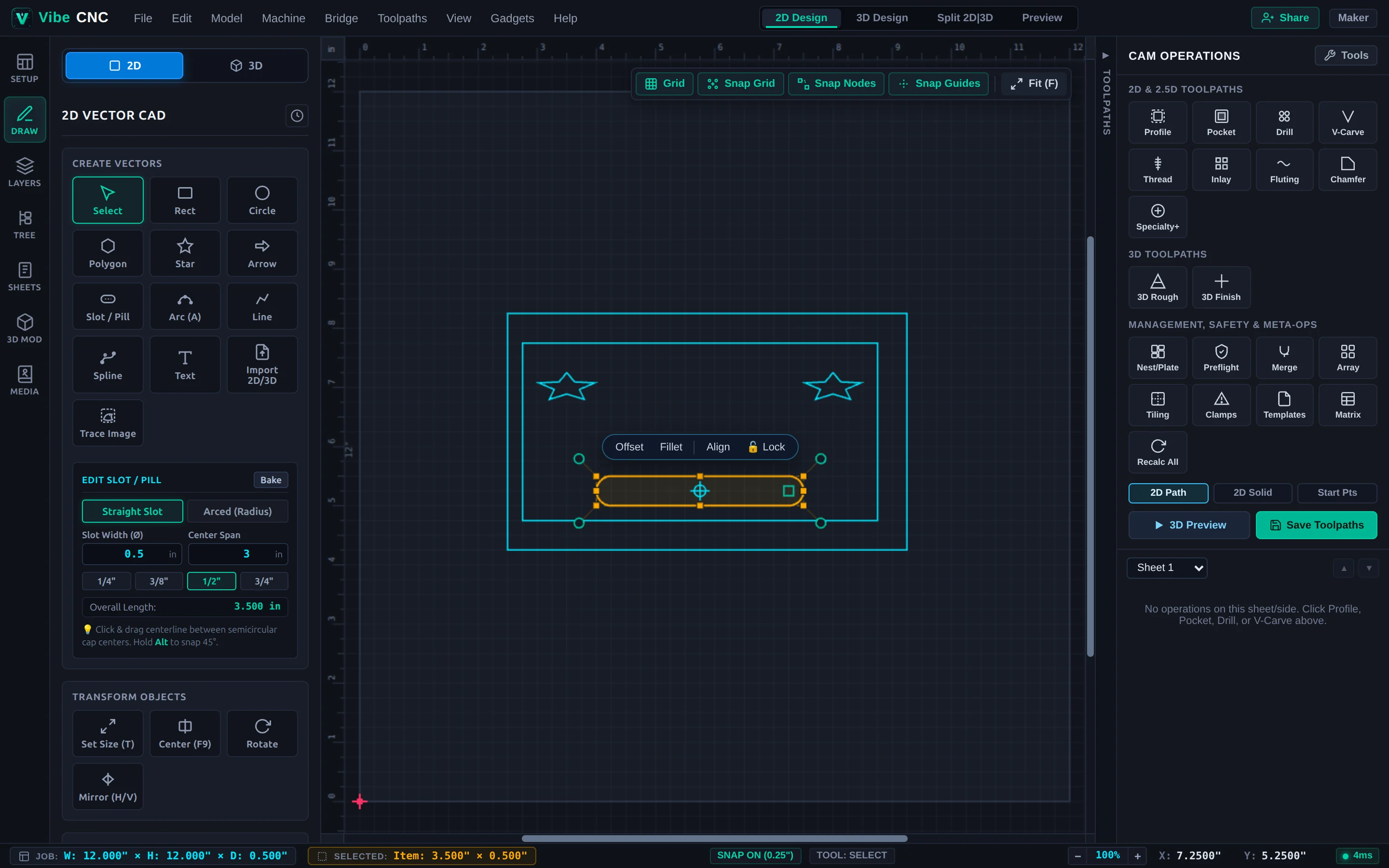
The Five-Step CNC Workflow
Every CNC project follows the same five stages, whether you are cutting a simple wall sign or a multi-sheet cabinet job:
- Define your job and material: Enter the width (X), height (Y), and thickness (Z) of your board, pick your XY datum and Z-zero reference, and select a wood or sheet-good material for accurate 3D previews and speeds/feeds suggestions.
- Create or import artwork: Draw parametric shapes and text directly on the 2D canvas, trace a raster image, or import vectors (SVG, DXF, PDF, CRV) and 3D meshes (STL, OBJ, STEP).
- Choose toolpaths and cutters: Select the vectors you want to machine and assign operations such as Profile, Pocket, Drill, V-Carve, Inlay, or 3D Roughing and Finishing.
- Simulate in 3D: Switch to the Preview tab to watch the virtual cutter remove material from your stock. Catch mistakes like wrong cut depths, missing tabs, or clamp collisions before you waste a board.
- Save G-code for your controller: Pick your machine post-processor (Onefinity, GRBL, FluidNC, Masso, LinuxCNC, Mach3/4, or a custom
.ppfile) and save the toolpath file, or stream it over your local network with VibeCNC Bridge.
Recommended Setup
VibeCNC runs in modern desktop versions of Chrome, Edge, Firefox, and Safari with WebGL enabled. A three-button scroll-wheel mouse makes zooming and panning the 2D canvas and orbiting the 3D stock preview much faster than a trackpad.
You can design 2D and 3D parts, run full 3D simulations, and save local .vibecnc, .svg, and .dxf project files at any size right in your browser on the free Hobbyist tier. Once you verify your email, you can also export 2D G-code up to 18" x 18" and 3D G-code up to 12" x 12". Creator and Pro plans unlock unlimited G-code export dimensions and expanded cloud storage.
Where to Go Next
- New to CNC? Walk through Your First CNC Project: V-Carved Shop Sign for a 15-minute hands-on project.
- Prefer designing with natural language? Read VibeCNC Assistant (Agentic Chat) or follow Design & Cut a 2D Sign with VibeCNC Assistant.
- Migrating from another CAM package? Check Supported File Formats to see how to bring in existing
.crvjobs,.vtdbtool libraries, and.pppost-processors. - Want to move faster on the canvas? Keep the Keyboard Shortcuts guide handy.