
3D Meshes, STEP/STL Import & 3D Generator
Import STL, OBJ, and STEP/IGES solid CAD files, construct watertight mesh primitives with CSG Booleans, and generate custom 3D reliefs inside VibeCNC.
Alongside vector-driven heightfield reliefs, VibeCNC imports external 3D meshes and engineering solids, constructs watertight solid primitives, and includes a built-in 3D relief generator.
Importing STL, OBJ, STEP & IGES
- STL & OBJ Meshes: Drag and drop any STL or OBJ file onto the workspace. Pick which face points up (+Z), scale to fit your stock thickness, set the zero-plane cutoff, and inspect the built-in Undercut Analyzer to highlight overhangs that a 3-axis vertical bit cannot reach.
- STEP & IGES Solid CAD (
.step,.stp,.igs,.iges): Parsed in a background Web Worker so the interface stays responsive. VibeCNC extracts both a clean triangulated 3D mesh and exact 2D analytical feature vectors (mounting holes, circular bosses, and planar outlines) so you can machine mechanical pockets and holes with accurate 2D toolpaths instead of slow 3D raster passes.
Watertight Mesh Primitives & CSG Booleans
Build solid engineering and fixture parts directly inside VibeCNC's 3D Modeling panel using Extrude, Revolve, and Loft, then combine watertight meshes using BSP-tree Mesh CSG Booleans (Union, Subtract, and Intersect) to create dust-shoe adapters, clamping jigs, and multi-level housings.
Media Library & Built-In 3D Model Generator
Open the Media tab on the left rail to insert ready-to-carve 2D vectors, grayscale heightmaps, 3D relief clipart, and shared community designs.
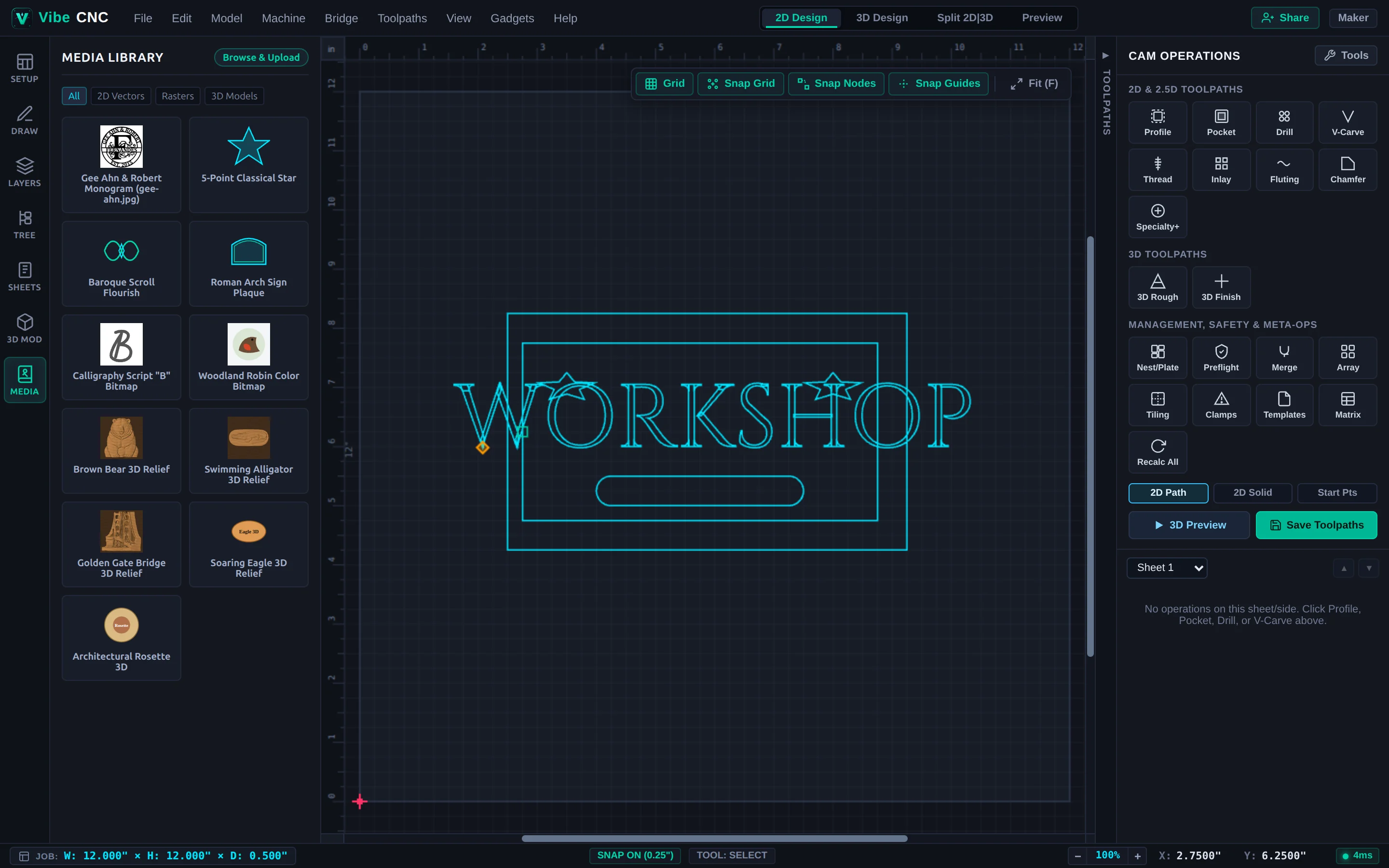
When you need a bespoke carving motif (such as a custom animal medallion, family crest, or decorative architectural plaque), choose Model > Generate 3D Model inside VibeCNC to generate a machinable 3D relief directly into your project. Monthly generation allowances are included with verified Hobbyist, Creator, and Pro plans.