
3D Simulation & Interactive Client Proofs
Verify every cut in realistic 3D wood stock, inspect acceleration-aware cycle times, toggle rapid/plunge/clamp overlays, and share 1-click 3D Client Proof links.
Watching a five-second simulation in the Preview tab is the cheapest insurance policy in CNC woodworking. It immediately reveals wrong cut depths, flipped inside/outside profiles, missing tabs, and forgotten pockets before you ever clamp down a board.
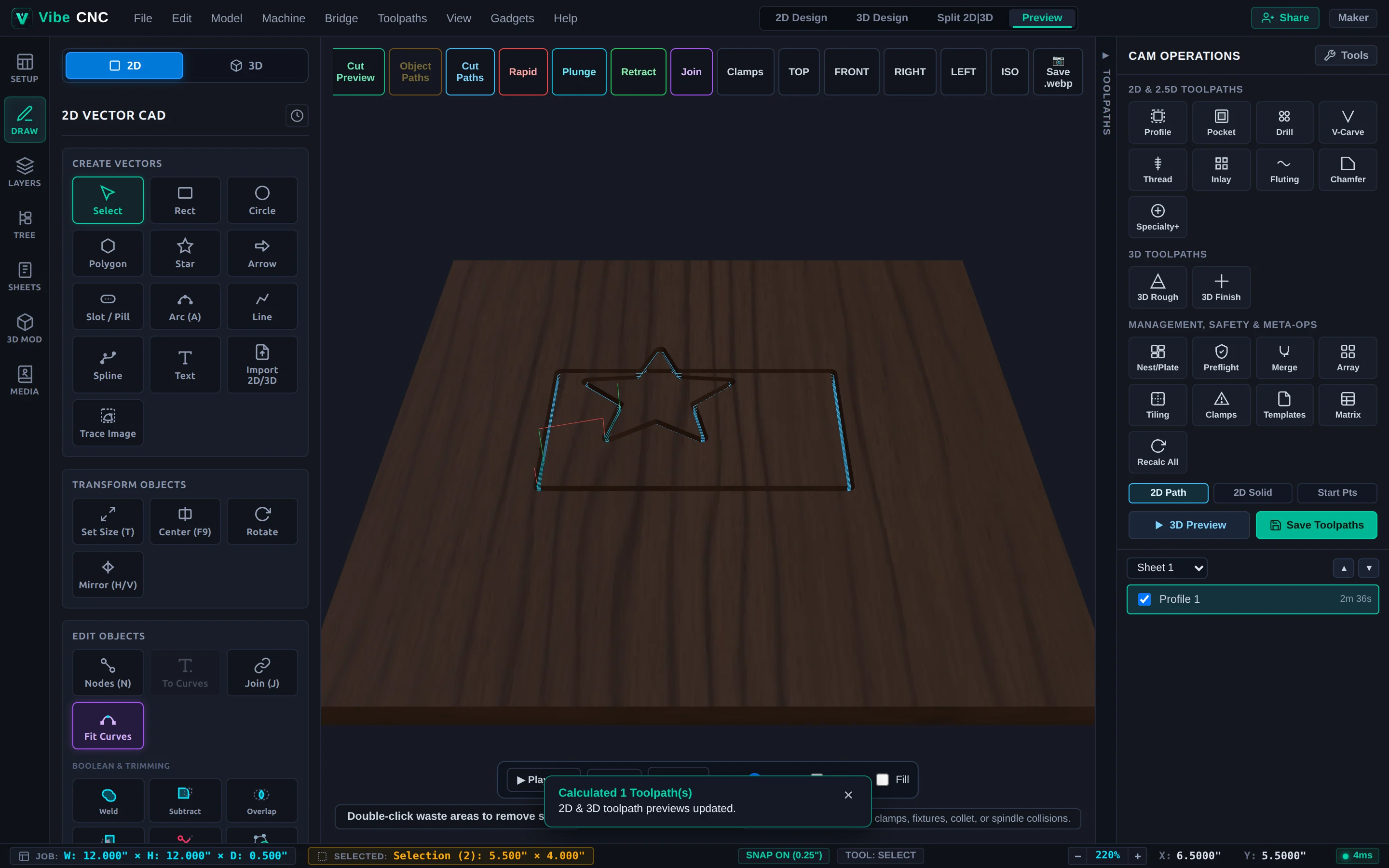
3D Preview Controls & Move Colors
- Cut Preview: Renders the carved 3D wood stock with your chosen material grain. Double-click separated waste pieces in preview mode to hide them and inspect the finished part floating cleanly.
- Color-Coded Move Toggles: Toggle Rapid (Red), Plunge (Cyan), Cut Paths (Blue), Retract (Green), and Join (Purple stay-down links) individually to audit tool motion.
- Camera Presets: Jump instantly to TOP, FRONT, RIGHT, LEFT, or ISO isometric views, or click Save .webp to save a high-resolution shop render.
- Playback: Press Spacebar to play or pause the animated toolpath, adjust playback speed, or scrub directly to the end.
Acceleration-Aware Cycle Time
VibeCNC calculates runtimes using your machine's real acceleration, corner deceleration, and Z retract speed rather than simple distance-divided-by-feedrate math. That keeps time estimates grounded on detailed 3D carvings and dense V-carve plaques.
1-Click Interactive 3D Client Proofs
Click Share in the top-right header to generate a read-only interactive 3D WebGL proof link. Send the URL to your customer so they can spin, zoom, and approve spelling, layout, and wood contrast on their phone before you cut expensive hardwood.