
Offset, Arrays, Vector Textures & Nesting
Create parallel borders with Offset, build linear/circular/path patterns, generate 2D vector textures, and pack parts efficiently with True-Shape Nesting.
Production woodworking and signmaking rely heavily on repeating geometry cleanly and getting maximum yield out of every sheet of plywood or hardwood.
Offset Vectors
Select one or more vectors and click Offset in the Left Drawer (or the Selection Action Pill):
- Outwards / Right: Expands a shape outward to create sign borders, plaque rims, or clearance frames.
- Inwards / Left: Shrinks a shape inward to create recessed tray walls or stepped inlay borders.
- Both: Offsets in both directions simultaneously (great for turning a single open centerline into a closed slot or wall).
- Sharp vs Rounded Corners: Enable sharp mitered corners for architectural frames, or keep rounded corners for smooth flowing organic borders.
2D Array, Circular Copy & Copy Along Vectors
- 2D Array Copy: Duplicate a part or hole grid across Rows and Columns by exact Gap between parts or Center-to-Center Offset.
- Circular Copy: Repeat bolt patterns, clock markers, or decorative petals around a rotation center, with optional automatic rotation of each copy to face outward.
- Copy Along Vectors: Distribute shapes evenly along any open or closed path by fixed Spacing or exact Number of Copies.
2D Vector Texture Generator
Click Texture in the Left Drawer to fill a panel with flowing wave, scallop, or grain-line open vectors. Control line spacing, wave amplitude, frequency, and random noise, then run an On-Vector Profile or Fluting pass with a large ball-nose or V-bit to carve dramatic textured wall panels in a fraction of the time a 3D finish pass takes.
True-Shape Part Nesting & Plate Production
Open Nest/Plate in the Right Drawer to pack irregular parts automatically across one or more sheets with minimal scrap.
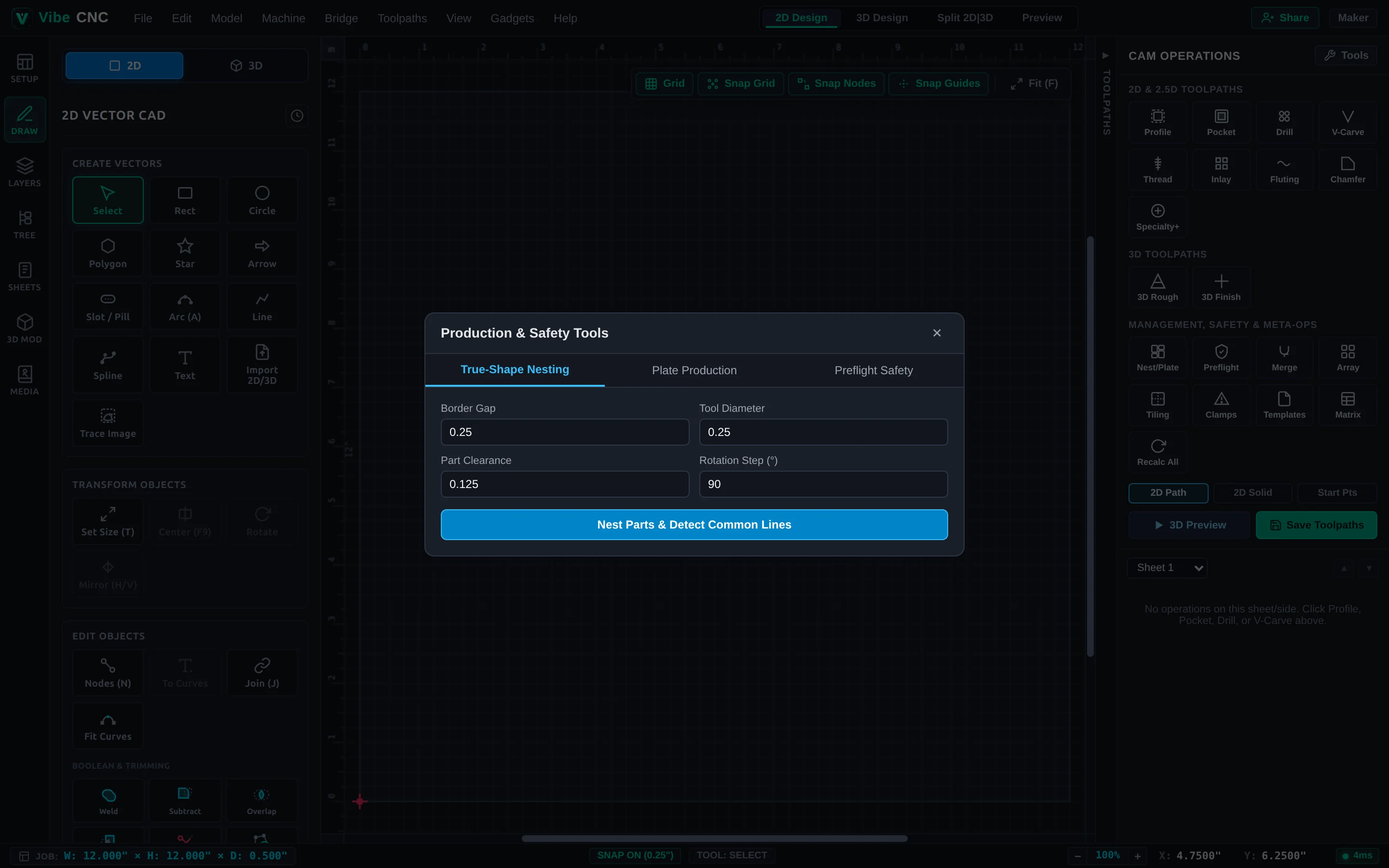
| Nesting Setting | What to Enter | Why It Matters |
|---|---|---|
| Tool Diameter | Diameter of your cutout bit (e.g. 0.25"). | Guarantees the cutter fits cleanly between adjacent parts without nicking neighbors. |
| Clearance | Extra safety gap (typically 0.125" to 0.25"). | Leaves enough scrap web to hold parts steady and support holding tabs. |
| Border Gap | Margin around the sheet perimeter (e.g. 0.5" to 1.0"). | Leaves safe room for hold-down clamps or screws around the sheet edge. |
| Rotation Step | 180 deg for wood grain; 90 deg or 45 deg for MDF/plastic. | Keeps wood grain running the right direction on cabinet doors and sign panels. |