
Parametric CAD: Live Modifiers, Constraints & Feature Tree
Build variable-driven designs that adapt automatically to new plywood thicknesses using Live Modifiers, the 2D Sketch Constraint Solver, and the Feature History Tree.
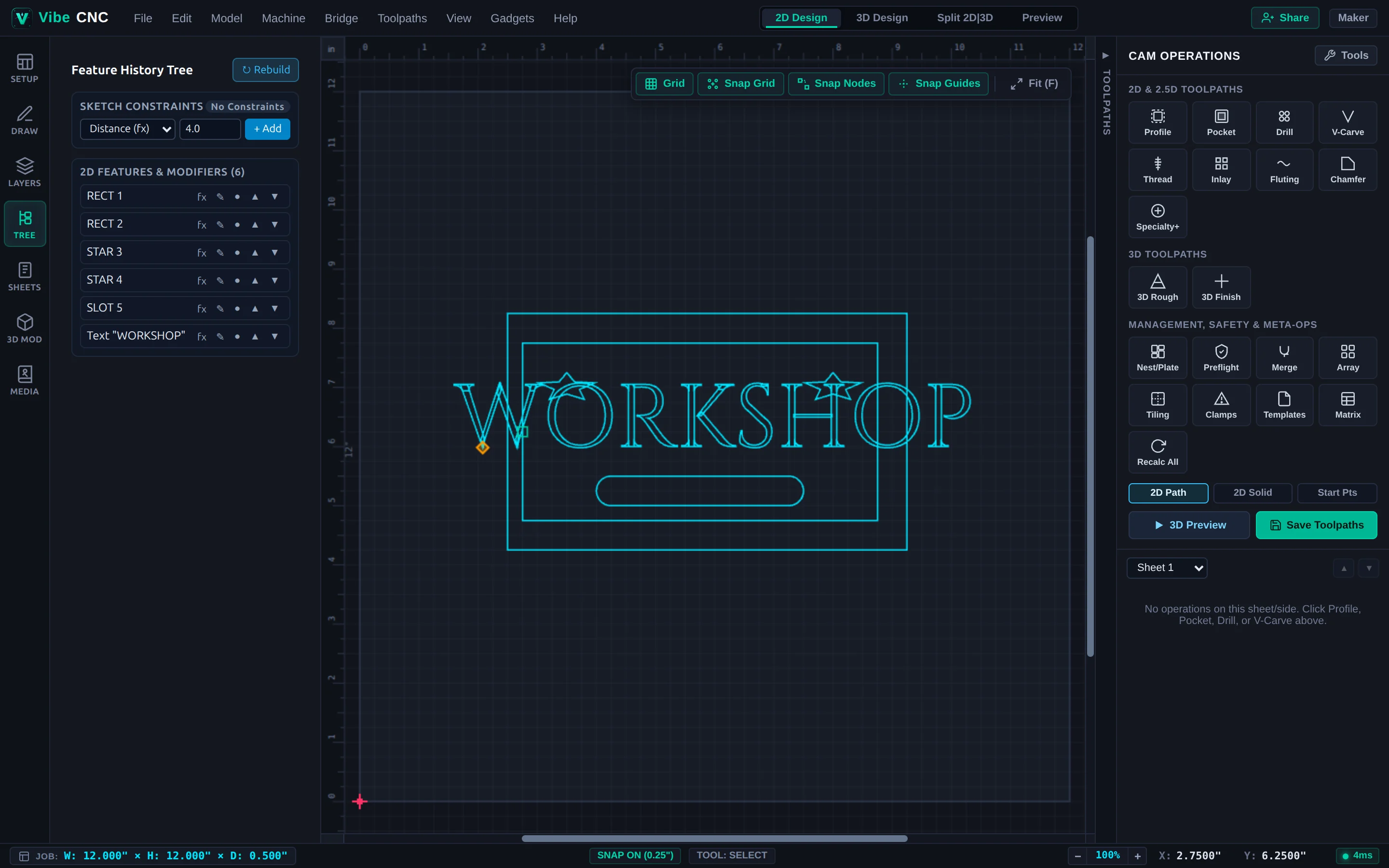
Standard vector editors bake every edit permanently. If you resize a slotted box for thicker plywood later, dog-bone corner fillets stretch into ovals and slot widths drift off spec. VibeCNC's parametric stack (accessible in the Tree tab on the left rail) keeps your design intent live.
Variable-Driven Expressions
Any parametric shape dimension can reference a Document Variable (such as {SlotWidth} or T for material thickness). When you update T in Job Setup or change a variable in Edit > Document Variables..., VibeCNC rebuilds every linked vector immediately and marks dependent toolpaths stale so a single click on Recalc All updates the entire project.
Non-Destructive Live Modifiers
Attach live modifiers to base geometry and toggle, reorder, or adjust their parameters at any time:
- LiveOffset: Maintains an exact parallel offset even as the parent shape changes size.
- LiveFillet: Applies Normal, Dog-Bone, or T-Bone fillets that always stay the exact cutter radius when you resize a slot or cabinet joint.
- LiveArray: Keeps row/column counts or spacing linked to the base part.
- LiveBoolean: Maintains Union, Subtract, or Intersect relationships live.
Click Bake to Curves on any modifier stack whenever you want to freeze the final vector geometry.
2D Sketch Constraint Solver
For mechanical plates, jigs, and precision brackets, apply geometric and dimensional constraints solved in real time by VibeCNC's Rust Wasm Levenberg-Marquardt solver:
| Constraint | What It Enforces |
|---|---|
| Coincident | Locks two endpoints or points together at the exact same X/Y coordinate. |
| Horizontal / Vertical | Locks a line segment parallel to the X or Y axis. |
| Parallel / Perpendicular | Locks two lines at 0 degrees or 90 degrees to each other. |
| Tangent | Makes a line or arc meet a circle/arc smoothly with zero kink. |
| Concentric | Shares the exact center point between two circles or arcs (ideal for counterbored holes). |
| Equal | Forces multiple lines to share the same length or multiple circles to share the same radius. |
| Distance / Radius / Angle | Drives exact numeric dimensions (supports Document Variables). |
Watch the live Degrees of Freedom (DOF) status badge at the top of the Constraints panel: Under-Constrained means parts can still slide or resize, Fully Constrained means every dimension is locked cleanly, and Over-Constrained warns you of conflicting rules so you can remove a redundant constraint.