
Document Variables & Math Boxes
Use live algebraic formulas, fractions, material-thickness tokens, and named Document Variables inside numeric fields.
You never need a pocket calculator next to your keyboard while working in VibeCNC. Numeric edit boxes across Toolpaths, Job Setup, and the on-canvas Dimension HUD evaluate math expressions directly.
Calculation Edit Boxes
Type any expression using +, -, *, /, ^, parentheses, or mixed fractions like 1 3/8, then press = (or Enter) to evaluate it. VibeCNC also recognizes built-in job tokens:
| Token | Meaning | Practical Example |
|---|---|---|
T or Z | Current material thickness | T+0.02= cuts 0.02" past the bottom of stock for a clean through-cut |
W or X | Material width | W/2= finds the exact horizontal center |
H or Y | Material height | H-1.5= leaves a 1.5" top margin |
i / m | Inch / Millimeter conversion | 6*m= converts 6 mm into inches when working in an inch job |
' | Feet to inches | 2'+6= evaluates to 30 inches |
P | Pi (3.14159...) | 4*P= calculates the circumference of a 4" circle |
Named Document Variables
Open Edit > Document Variables... to define reusable named parameters for your entire project, such as {SlotWidth} = 0.725, {DadoDepth} = T/2, or {Clearance} = 0.008.
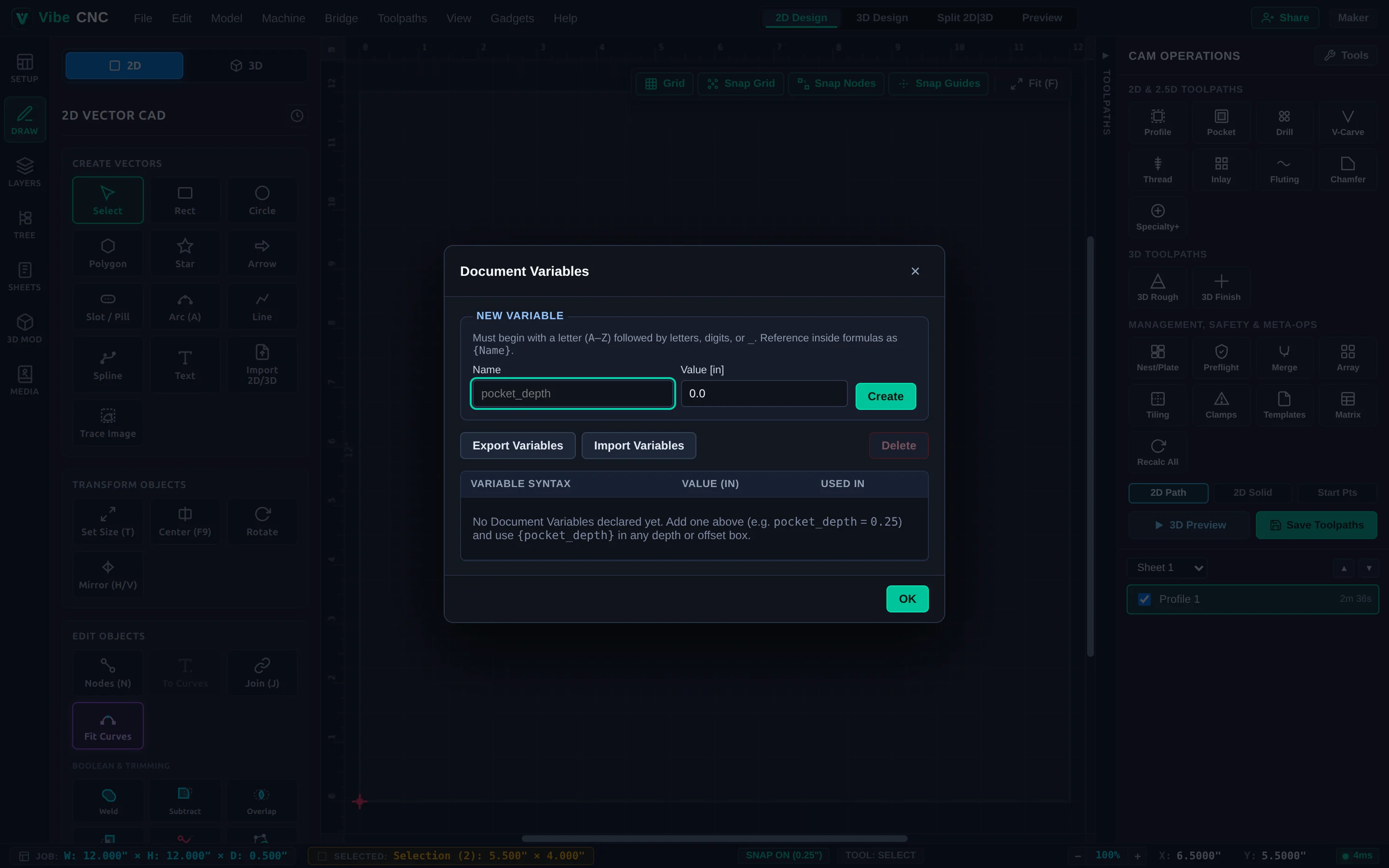
Right-click inside any calculation input to insert an existing variable or create a new one on the fly. When you update a variable value later (for instance, when your next sheet of Baltic birch measures 0.708" instead of 0.725"), VibeCNC rebuilds linked parametric shapes and flags dependent toolpaths as stale so one click on Recalc All updates the entire job.